
Beginner
Keep it comfortable
Use the app for temperatures, schedules, hot water and holidays. If the house is not warm enough or is regularly too warm, tell us and we will help.
Open the beginner guideVaillant customer handover
Choose the beginner guide for everyday use, or the advanced guide if you want to understand Room Temp Mod, heat curves and tariff-aware schedules properly.
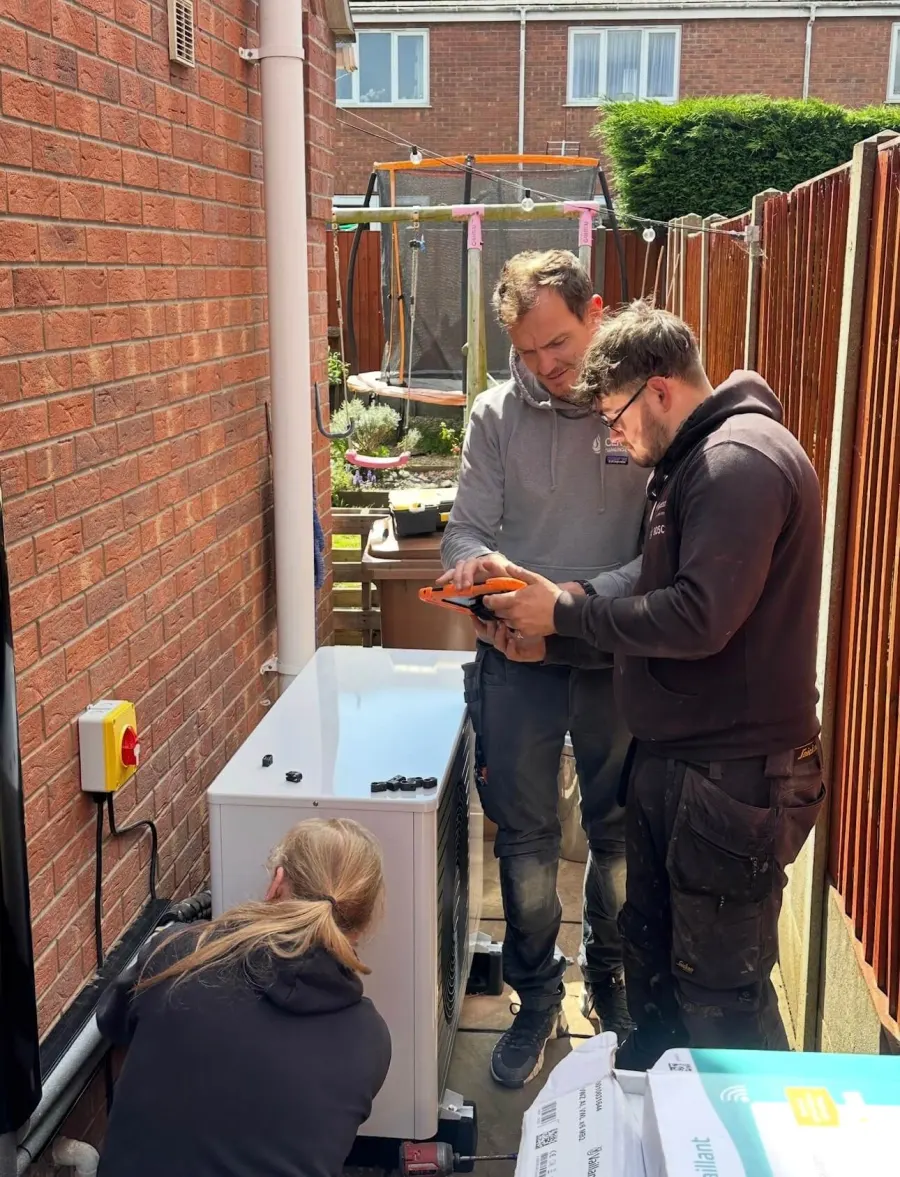
Beginner
Use the app for temperatures, schedules, hot water and holidays. If the house is not warm enough or is regularly too warm, tell us and we will help.
Open the beginner guideAdvanced
Learn what Room Temp Mod and the heat curve actually change, then tune the system carefully using evidence rather than enthusiastic button pressing.
Open the advanced guideBeginner guide
Senso and app menu routes
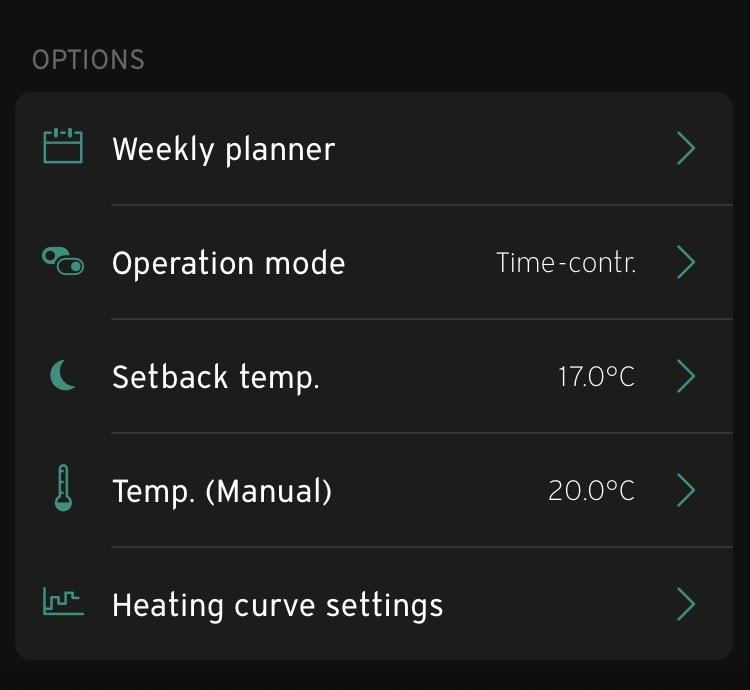
The app is already connected and ready to use. The main choice is how you want the heating to follow your room target and weekly planner.
The normal choice. It follows your weekly comfort and setback periods.
Set the setback temperature 2 to 3°C lower than the On temperature, normally around 17 to 18°C. This setting only applies in Time control; it does not change the heating in Manual or Heating off mode.
Holds one desired room temperature continuously and ignores the normal heating schedule until you change the mode back.
Use this deliberately when you do not want space heating, usually in warmer weather. System protection can still operate in the background.
Use this when you are going out for the day. Choose when it finishes, or leave it Open until you cancel it. It doesn't change the hot water, so for a holiday, turn the hot-water operation mode to Off manually.
Customers always ask me whether they should leave the heat pump on all day. The answer depends on the insulation, how quickly the property loses heat and whether anybody is actually at home.
Keep it at the comfort temperature. This is a comfort decision whether the house is well insulated or not.
Use a setback during the empty period. There is little value maintaining full comfort temperature for an empty home that loses heat quickly.
A modern home may use a similar amount of energy whether it stays at comfort temperature or uses a setback, because the indoor temperature falls slowly. Try both approaches and compare.
Heat pumps generally suit steady operation, but that does not mean every home needs the same schedule. Time-of-use prices can also change the answer, so use the tariff, solar and battery examples below when setting the weekly planner.
| Setting | Beginner guide | Advanced guide |
|---|---|---|
| Desired room temperature | Change when needed | Use it to test comfort without changing the curve |
| Set-back temperature | Set it 2 to 3°C below the On temperature | Use 3 to 4°C below in mild weather, reducing to 1 to 2°C below when it gets cold |
| Weekly schedule | Change to suit your routine | Match it to occupancy, tariff and heat stored in the building |
| Hot-water schedule or boost | Safe to use | Time cylinder reheating around tariff or solar generation |
| Absence mode | Use when you are out for the day and choose a finish time | For holidays, also set the hot-water operation mode to Off manually |
| Room Temp Mod | Leave as commissioned | Understand the three modes below before changing it |
| Heat curve | Leave as commissioned | Record it, change by 0.05 and assess the whole house |
| Backup heater, zone assignment and system configuration | Leave alone | Installer settings: leave alone |
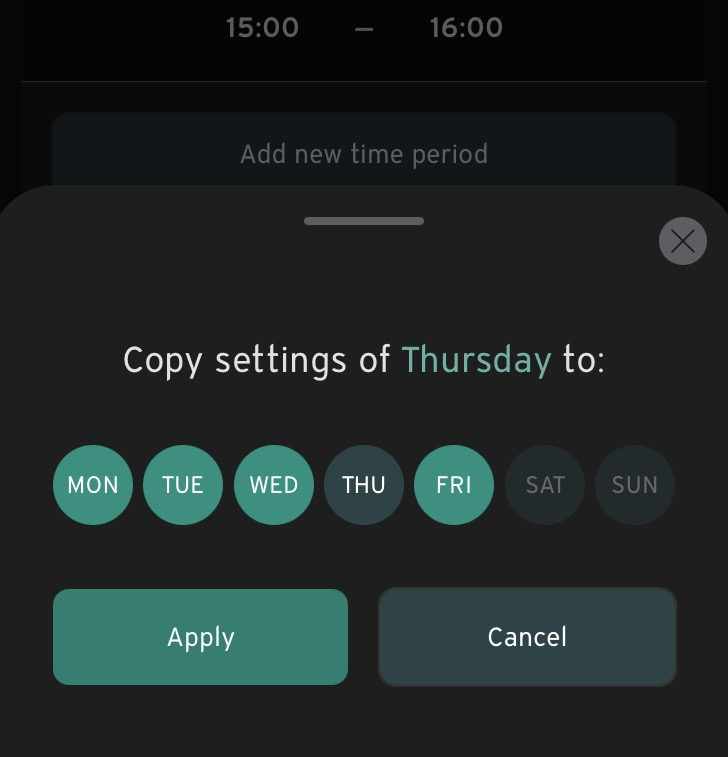
Top tip: Use the app to set the schedules. It is much easier.
Your hot-water schedule tells the heat pump when it may reheat the cylinder. In the app, Hot water boost opens a one-hour boost window for one extra reheat outside that schedule; it does not permanently turn the stored temperature up.
The boost only starts the heat pump if the cylinder temperature is below the hot-water setpoint. If the cylinder is already above the setpoint, the heat pump stays off. Pressing boost is a request for heat, not an instruction to run regardless.
Hot water temporarily takes priority over space heating on most systems. That is normal. It also means there is little sense scheduling the cylinder at exactly the same time as the heating unless your tariff makes that worthwhile.
Match the controls to the electricity
The cheapest schedule is not identical for every home. Electricity price, comfort, building heat loss and how well the house stores heat all matter. Moving demand into a cheap period can lower cost even if a slightly harder preheat reduces efficiency a little.
One price all day
Prioritise efficiency and comfort: long, steady heating with a setback 2 to 3°C below your comfort target. Hot water can run at a consistent time; midday can be useful because the outdoor air is often warmer.
00:30 to 05:30
Schedule the main cylinder reheat inside the cheap window. If the home holds heat well, a modest heating lift towards the end of the window can carry some cheaper warmth into the morning. Do not force the whole day's heating into five hours.
Three cheap periods
The current cheap periods are 04:00 to 07:00, 13:00 to 16:00 and 22:00 to 00:00. The peak is 16:00 to 19:00. A useful starting point is a small comfort lift during cheap periods and the normal 2 to 3°C setback during the peak, provided the house stays comfortable.
Use generation directly
Move the main hot-water cycle into the middle of the day when generation is most likely, often somewhere around 11:00 to 15:00. Adjust it seasonally rather than expecting February to behave like June.
Choose what stores the energy
Heat the hot water directly during the cheap overnight rate rather than deliberately charging the battery and then discharging it into the cylinder. You can also schedule hot water around midday to use free solar when it is sunny. Use one or both periods according to actual hot-water demand.
These are starting points, not commandments. Your hot-water use, export tariff, battery strategy and how quickly the home cools will decide the best version.
Quick app run-through
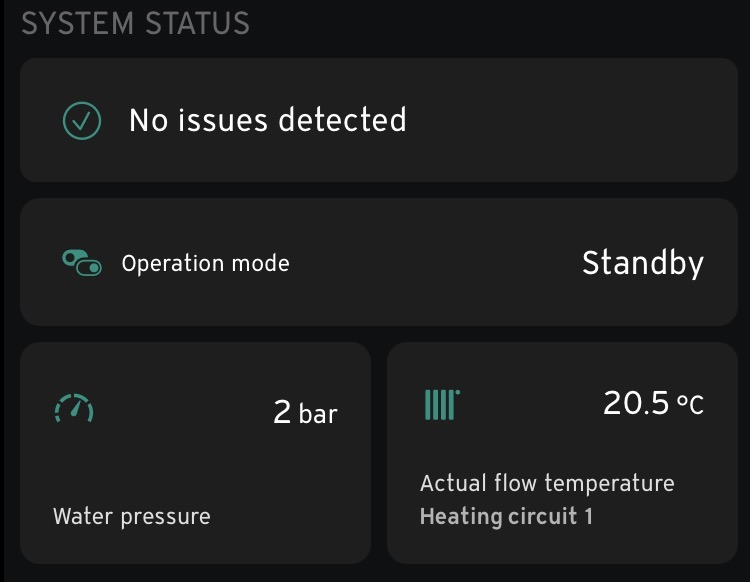
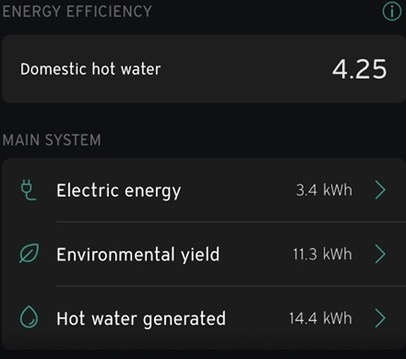
Most everyday changes start from the myVAILLANT Home screen. Use it to see the heating and hot water at a glance, then open the card for the setting you want to change.
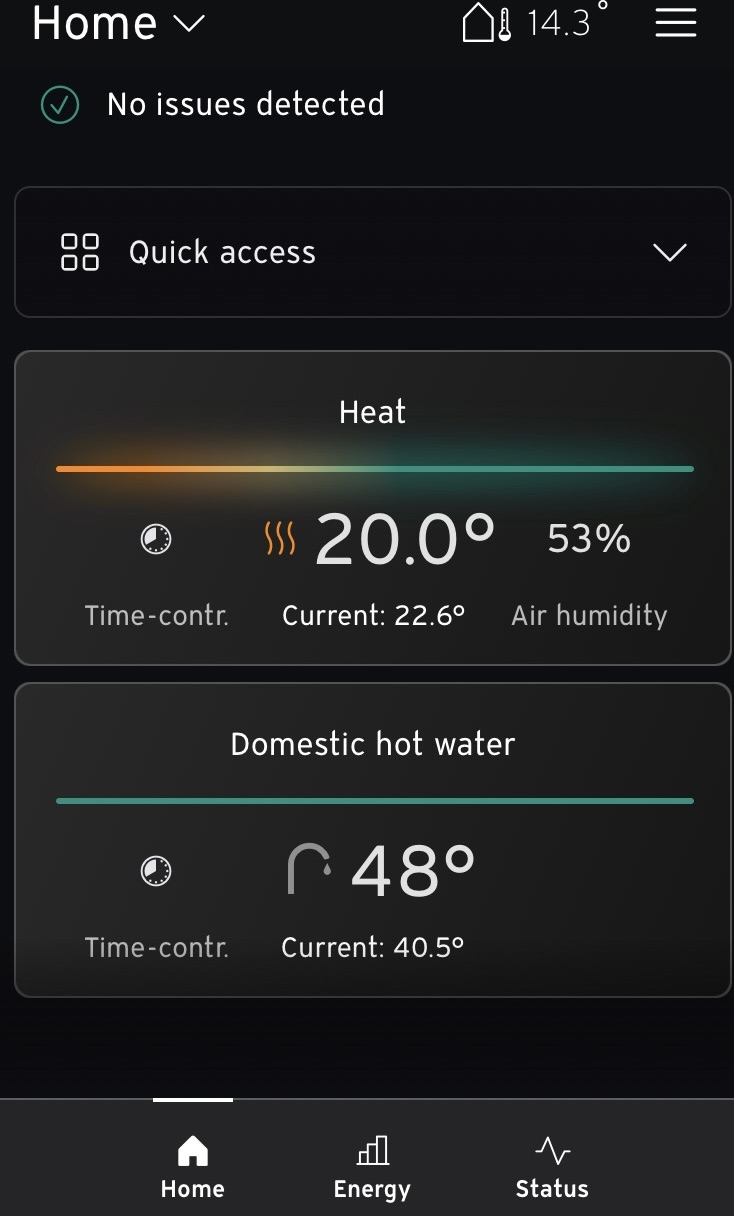
Tap Quick access for Hot water boost or Absence. Ventilation boost is not used on the systems covered by this guide.
Hot water boost opens a one-hour boost window. Absence lowers the heating until the finish time you choose, or until you cancel it if the end is left Open. Absence does not turn the hot water off.
Tap the Heat card to open Zone 1, or the Domestic hot water card for the hot-water settings.
Advanced guide
This section is for customers who want to understand the controls and are happy to record changes. You are not forbidden from changing the heat curve. The important bit is knowing what the setting changes, altering one thing at a time and giving the building time to answer.
The app covers everyday changes, while the sensoCOMFORT holds the deeper control settings. The normal route to your heating controls is:
The sensoCOMFORT should be in a habitable space heated by a radiator, where it can measure a useful room temperature. We do not put it in a garage, airing cupboard or another unheated space and then ask it to represent the rest of the house.
The controller can display a room temperature even when that reading is not controlling the heating. Room Temp Mod decides whether it is just reporting the news or helping write it.
Room influence explained
Room Temp Mod decides whether the sensoCOMFORT room reading influences the target heating-water temperature. You will find it under:
This setting decides what happens outside your comfort periods. Choose it around the outdoor temperature, occupancy and how quickly the home can recover.
The awkward part is remembering to change the mode when the weather moves above or below 5°C. If you do not want to keep track of it, Normal is the more consistent choice.
The outdoor-temperature switch-off threshold tells the controller when space heating is no longer required. A value around 16°C is common. Above it, heating is disabled; below it, heating is allowed to operate if the controls call for it.
If the outdoor temperature is above the threshold, the screen can display No heating demand even when you turn the room temperature up.
If the home needs heating but the outdoor temperature is already above the threshold, raise the threshold slightly and reassess.
Leave the threshold where it is. The setting is doing its job by preventing unnecessary heating in mild weather.
The heat curve decides the target heating-water temperature as the outdoor temperature changes. Colder weather produces a warmer target; milder weather produces a cooler one. The curve number is not a temperature.
A lower curve can improve efficiency if the entire home remains comfortable. The correct value depends on heat loss, radiators or underfloor heating, the design temperature and how the property behaves in real weather.
Adjust the heat curve in the myVAILLANT app. The graph is much clearer than the controller because you can see the target flow-temperature line move as you change the settings.
The expert screen lets you adjust the steepness of the curve, minimum flow temperature and outdoor temperature switch-off threshold.
Size of adjustment
| Example | Size of change | Likely use |
|---|---|---|
| 0.60 to 0.55 | Down by 0.05 | A normal tuning step when the whole home is consistently too warm |
| 0.60 to 0.40 | Down by 0.2 | A noticeable correction when the curve is clearly too high; use the graph to check the target temperatures before saving |
Reduce the curve. A 0.05 change is a normal fine adjustment. Use the graph to check how much the target line moves.
Increase the curve. Make the test with Room Temp Mod set to Inactive so the room influence does not hide the result.
Investigate that room, radiator, underfloor loop or system balancing. Changing the whole-house curve affects every room.
Check the outdoor switch-off threshold and minimum flow temperature. The heat curve may be correct in cold weather while heating is being stopped too early in mild conditions.
An offline app does not normally mean the heat pump has stopped. The sensoCOMFORT controller continues running the heating locally; the app simply cannot communicate with it through the internet gateway.
If it remains offline, send us a photo of the controller, gateway light and any message in the app through the customer support form below.
Vaillant controls FAQs
It depends on occupancy and how well the home retains heat. If nobody is home all day and the property loses heat quickly, use a setback while it is empty. A well-insulated modern home may use a similar amount of energy at comfort temperature or setback. If the home is occupied, comfort normally decides it and the heating will usually stay on.
Inactive can be the most efficient because it changes the target less often, and it should be used while checking whether the weather curve is correct. Active can continue above the room setpoint while the compressor is already running. Expanded cuts the heating off at the setpoint and can suit homes with high solar gain or other heat sources.
First identify where the extra heat is coming from. If it is solar gain, a fire or another heat source, Room Temp Mod needs adjusting so the controller responds to it. If the heat pump itself is overheating the property, the heat curve needs adjusting.
Yes. In myVAILLANT open Heating, scroll to Heat curve settings and select Heating curve (expert). Set Room Temp Mod to Inactive while tuning, screenshot, photograph or write down the starting value, change one setting at a time and use the graph to see how the target flow temperatures move.
If the outdoor temperature is above the outdoor-temperature switch-off threshold, the screen can show No heating demand even when you turn up the room target. If the property is too cool in mild weather, the threshold may need raising slightly.
Octopus Go currently has cheaper electricity from 00:30 to 05:30. Cosy Octopus currently has cheaper periods from 04:00 to 07:00, 13:00 to 16:00 and 22:00 to 00:00, with a peak from 16:00 to 19:00. Use the examples above as a starting point and confirm the current periods in your Octopus app.
Hot water boost opens a one-hour boost window for a cylinder reheat outside the normal schedule. The heat pump only starts if the cylinder temperature is below the hot-water setpoint; if it is already above the setpoint, it stays off.
No. Absence lowers the heating to the selected temperature and lets you choose a finish time or leave the end Open, but it keeps hot water enabled. For a holiday, use Absence for the heating, then open Hot water, select Operation mode and choose Off. Set hot water back to Time control when you return.
Normally no. The controller continues operating the heating locally. An offline app usually means the internet gateway or home connection needs checking.
The control guidance combines Vector Heat's commissioning experience with EnergyStats' practical pages covering Vaillant aroTHERM basic settings, the Vaillant weather curve and Room Temp Mod. Exact app labels were checked against the myVAILLANT app user guide.
Current tariff periods were checked against the official Octopus Go and Cosy Octopus pages on 17 August 2026. Octopus also publishes a useful starting schedule for heat pumps on Cosy. Always confirm the live periods and rates in your own account.
Existing Vector Heat customer?
Tell us whether the whole house is too warm or too cool, what the outside temperature is, what changed and when it started. Add photos of the app and controller. We can then turn up slightly less surprised, which is always a treat.